

Doomscrolling usually means staying on an upsetting news or social feed longer than you meant to. To stop, decide what you need to know before opening an app, set a stopping point, and choose what you will do when you close it. You can stay informed without refreshing a feed all day.
What doomscrolling means—and what it doesn’t
“Doomscrolling” is a casual name for a habit, not a diagnosis. It can happen when you are worried, bored, waiting, or simply following one post into another. The label matters less than the pattern: you open a feed for a reason, keep going after that reason is answered, and leave feeling less settled than before.
The useful question is not “Why can’t I use my phone properly?” Try: “What was I looking for, and what would count as enough for now?” A clear answer gives you a place to stop.
Notice what starts the scroll
For one or two days, notice the moment just before you open the feed. You do not need to track every minute. Look for a repeatable cue: a notification, a break between tasks, getting into bed, or a feeling that something may have changed.
- What was happening? For example, you were waiting for a reply or taking a short break.
- What did you hope to find? Maybe a local update, a distraction, or reassurance that a situation was under control.
- When did the check stop being useful? The answer may be “after I read the update I came for.”
This is a practical observation, not a test. If the cue is clear, you can adjust that moment instead of relying on willpower for the whole day.
Use a three-part stopping routine
Before you open a feed, choose a cue, a limit, and a next step. The picture below shows the sequence; the details are yours to set.
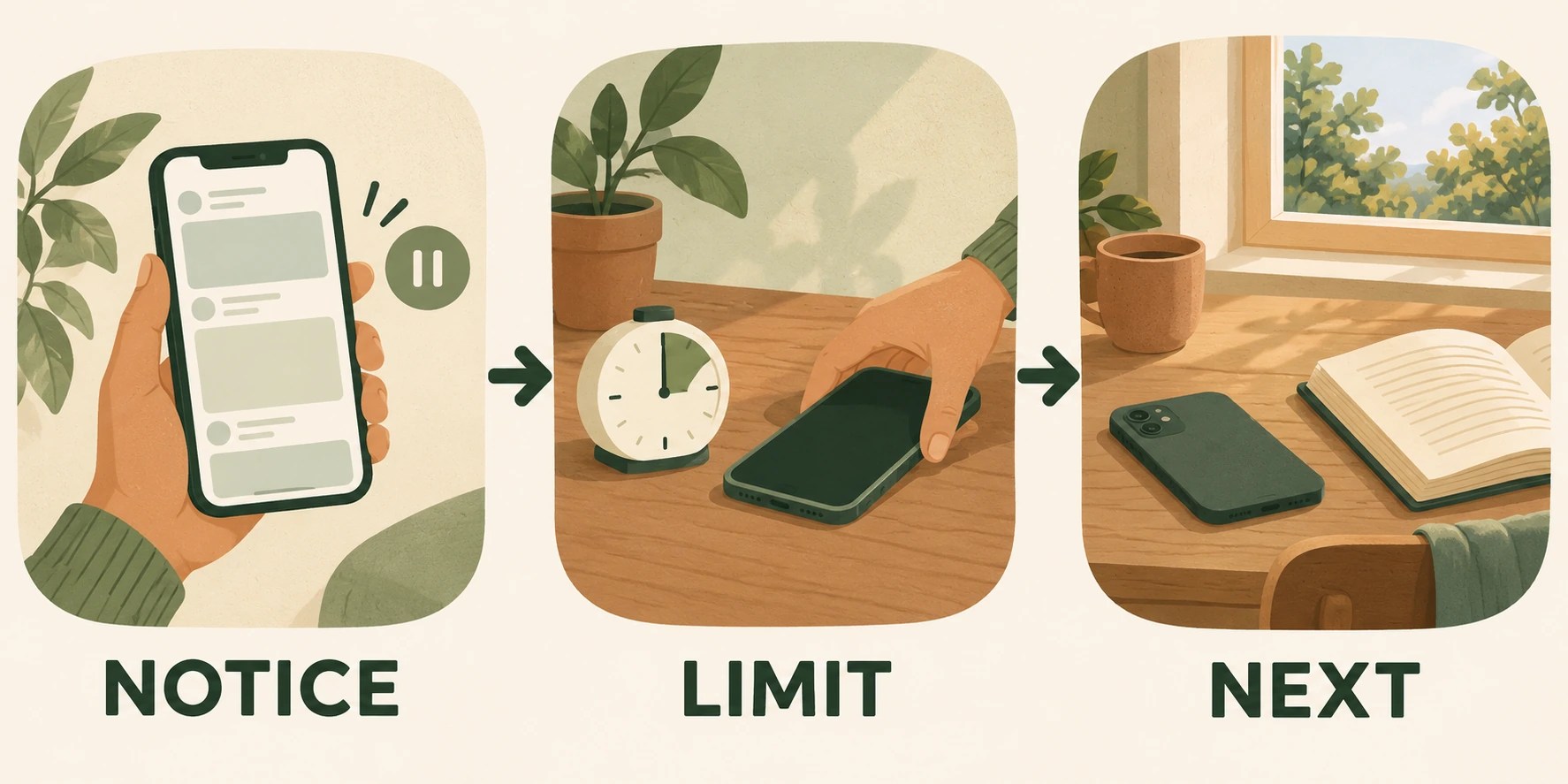
1. Name the cue
Make the start visible: “I open the news app when I’m waiting for a message.” You might then decide to check messages first, or leave the news app closed until a planned break.
2. Set a limit before you begin
Choose a limit that matches your purpose. It could be one update from a source you trust, a short timer, or stopping when you find the answer to one question. A timer is only a reminder; it does not need to be a perfect rule.
For example: “I’m checking whether the train schedule changed. I’ll look at the transit alert, then close the app.” That is easier to follow than “I’ll scroll less.”
3. Pick the next action
Decide what will happen after the check: refill your water, return to one task, read a few pages, or send the message you meant to send. Keep it small enough to start immediately. A planned next step makes closing the feed feel less like falling into an empty moment.
Make the feed less automatic
Add a little friction to the specific cue you noticed. Move a news or social app off the first screen, turn off nonessential notifications, sign out after use, or charge your phone a few steps away from where you tend to scroll. Pick one change you can live with, then see whether it helps you pause.
Keep calls, emergency alerts, work messages, or accessibility features you rely on. The aim is to make casual checking more deliberate, not to make yourself unreachable.
Stay informed without refreshing constantly
If you need regular updates, give them a place in your day. You might check at two planned times, use a direct alert for the information that matters, or choose one or two sources instead of reopening a general feed. For urgent local safety information, use the alert channel you depend on rather than relying on a social feed to surface it.
You can also decide what you will not follow right now. Muting a topic, hiding repetitive recommendations, or taking a break from graphic content is a boundary around your attention. You can change it later if your needs change.
Try a one-day experiment
Choose one situation where the scroll often runs long. Write a simple plan: “When I notice [cue], I’ll check [specific thing] for [limit], then I’ll [next action].” Try it once. If it does not fit, adjust the limit or the next step; the point is to learn what makes a pause realistic.
If you have a stressful day and keep checking, that does not erase the experiment. You can close the app at the next natural pause and begin again. A practical routine should leave room for ordinary interruptions.
The goal is choice, not a perfect streak
You do not have to stop reading the news or remove every app. The useful change is being able to notice why you opened a feed, get the information you came for, and decide what happens next. For other ways to choose a response when stress is high, see Stress Management Techniques: How to Choose What Helps Today. If your schedule shifts often, this guide to building a flexible routine offers a way to make plans that can bend.
Selected for this topic
Useful next reads
Four editorially reviewed guides chosen for relevance, not at random.
 Habits & decisionsHow to Tell Your Manager You Have Too Much Work: A Practical Plan
 Habits & decisionsHow to Restart a Habit After a Break: Resume, Resize, or Let It Go
 Habits & decisionsHow to Make a Difficult Decision When You Keep Going Back and Forth
 Habits & decisionsHow to Start a Task You Keep Putting Off